RGB OBD for Android
Your car's live data, on a dashboard worth looking at
RGB OBD turns an Android head unit or tablet into animated gauges, a drive computer and a diagnostic scanner — using the OBD-II port every modern car already has.
One app, the whole picture
Plug a Bluetooth OBD-II adapter into the diagnostic port your car has had since the early 2000s, and RGB OBD reads what the engine computer sees: revs, speed, temperatures, voltage, fuel — live, many times a second. It is built for the landscape screen of an Android head unit and works just as well on a phone or tablet.
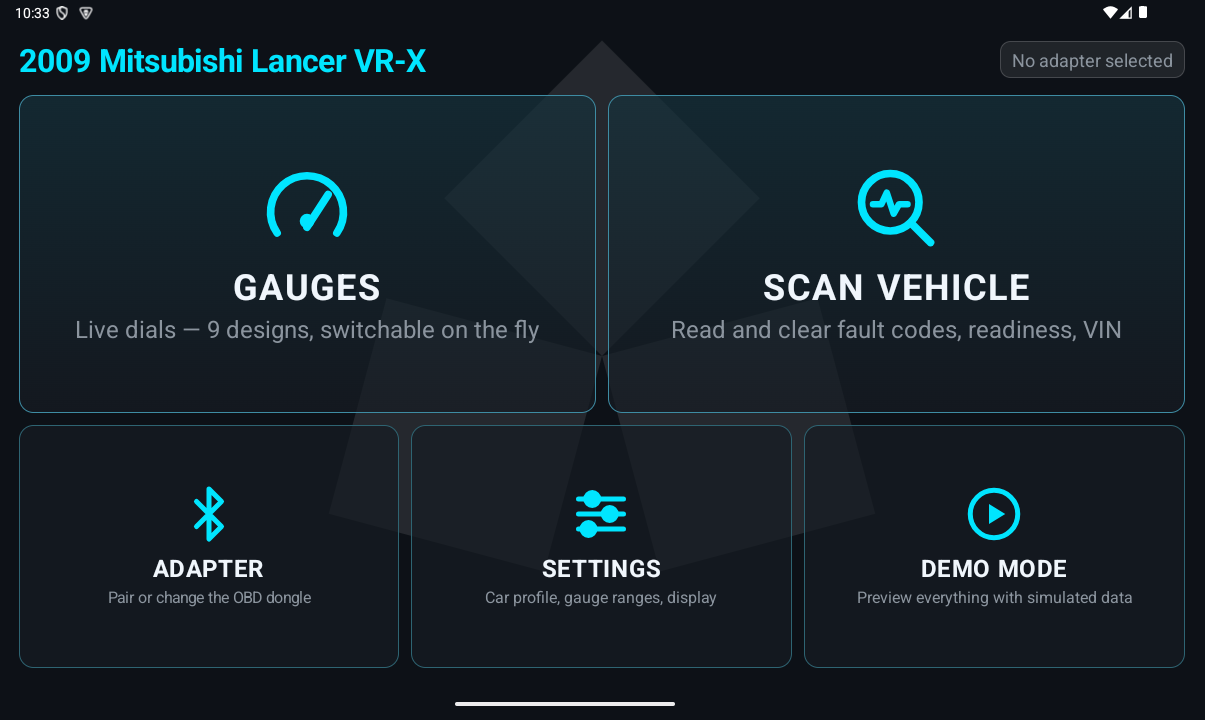
Everything is drawn by the app itself — no ads, no accounts, no tracking, and the whole install is under one megabyte. Start it from one screen: gauges, vehicle scan, adapter pairing, settings, and a demo mode that shows every feature with simulated data before the app ever touches your car.
Live gauges, nine designs
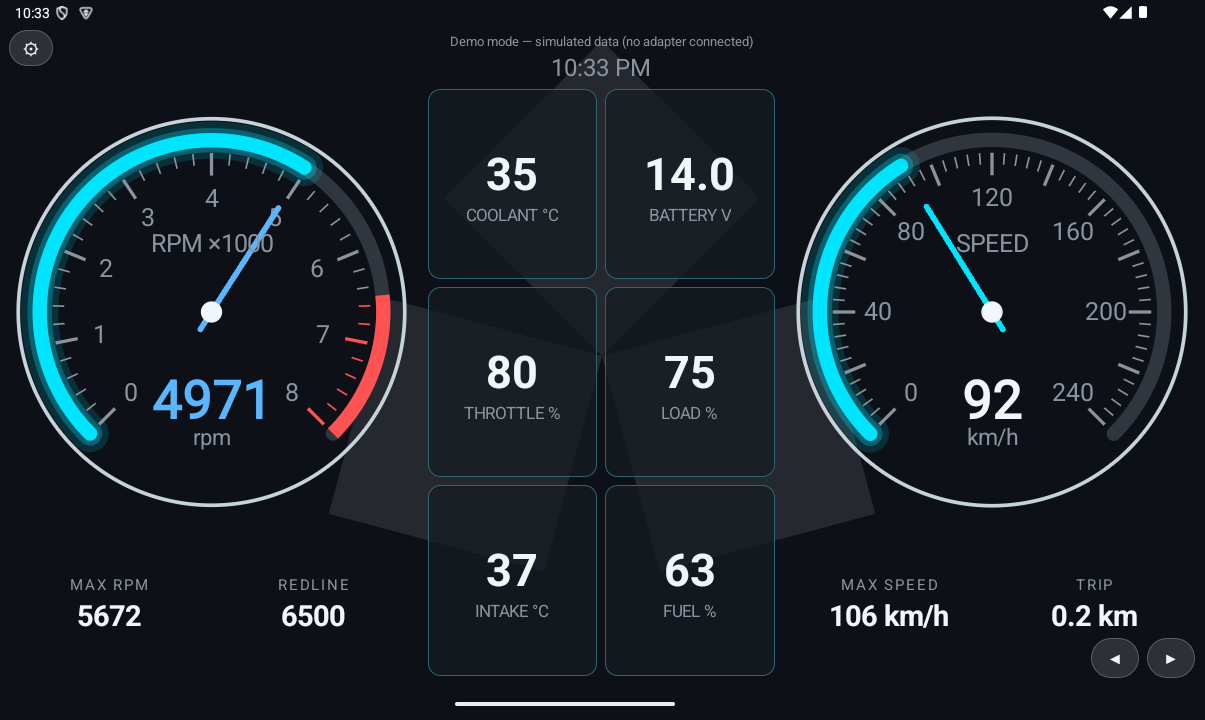
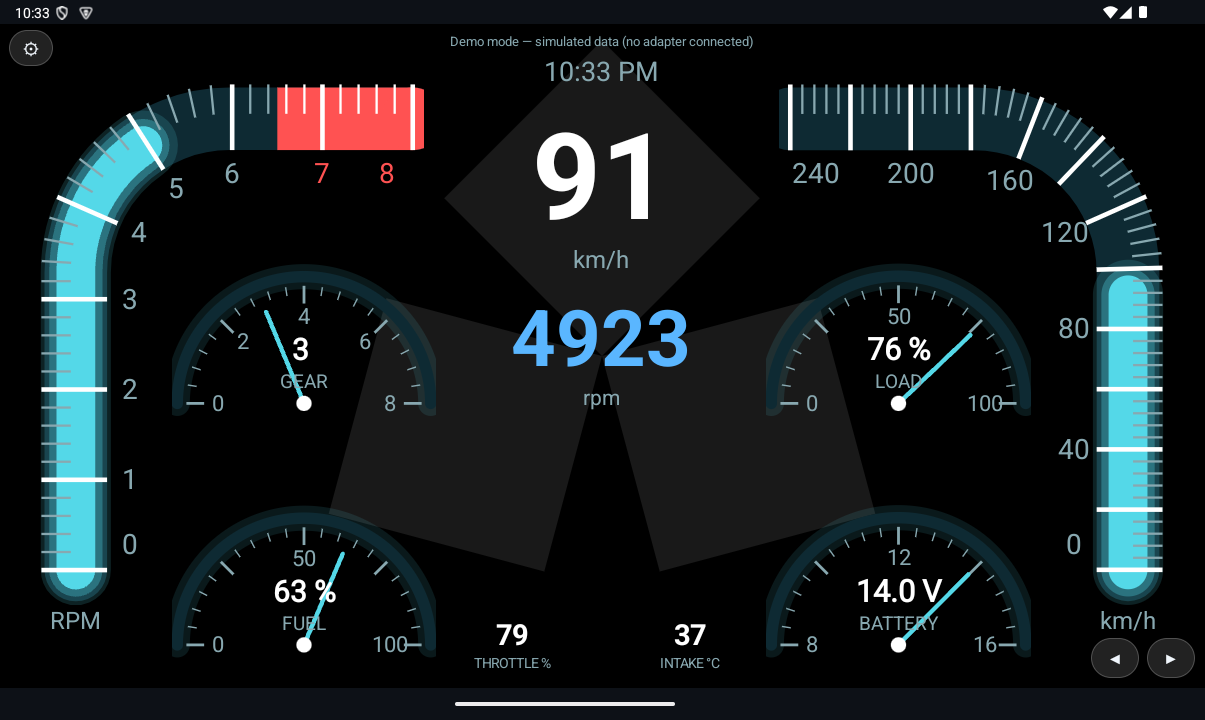
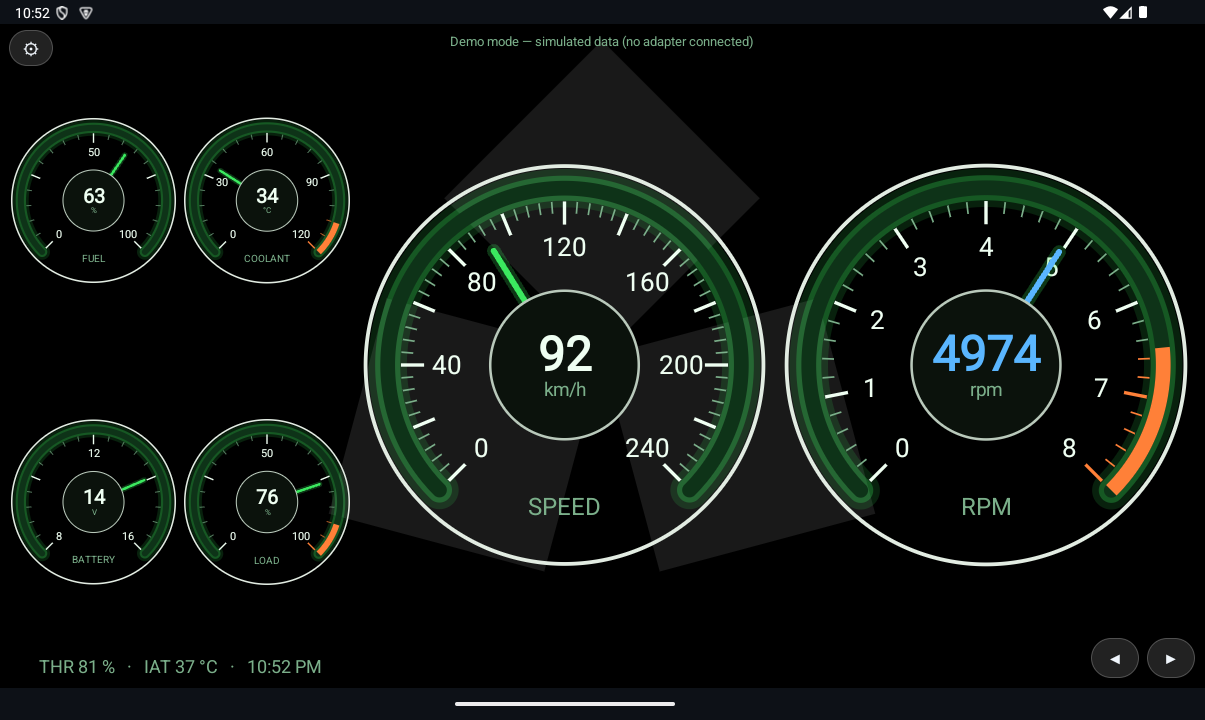
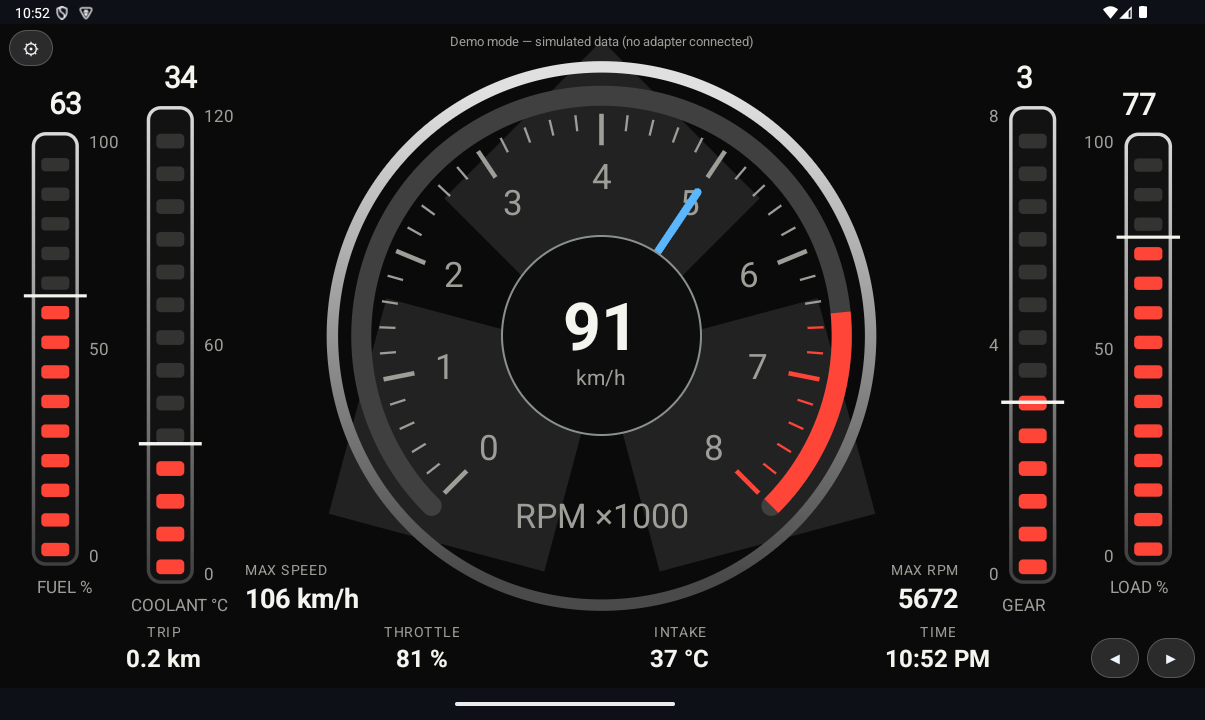
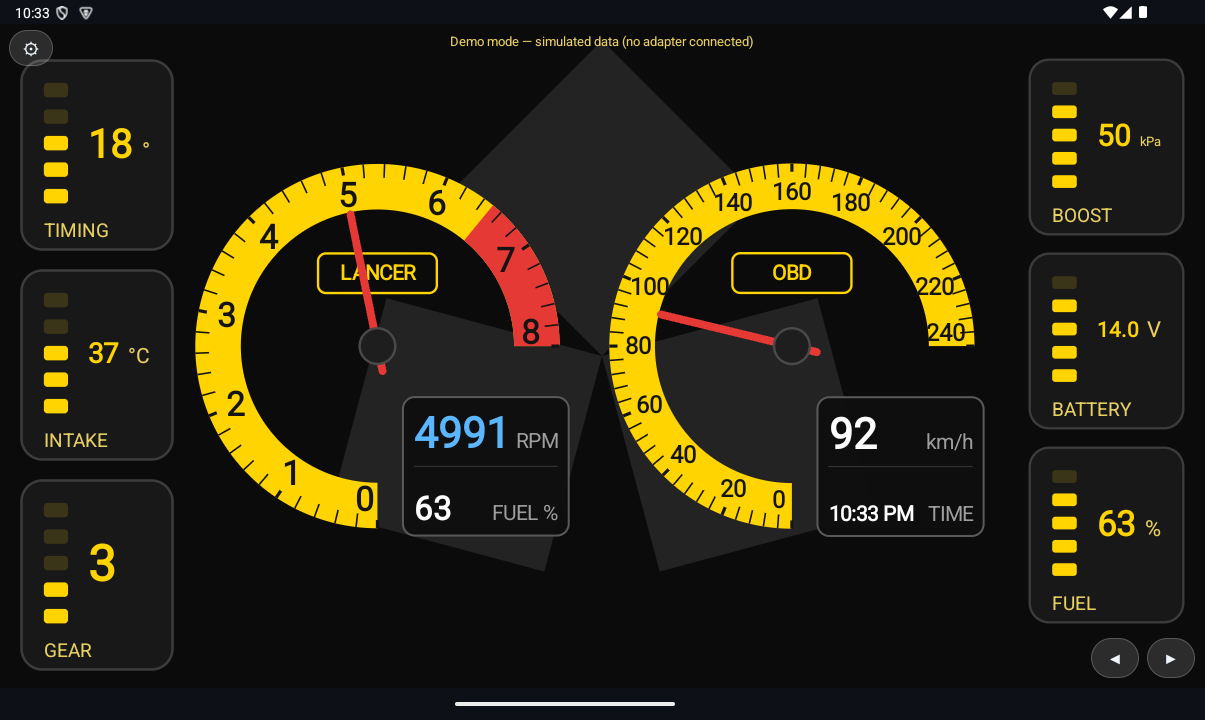
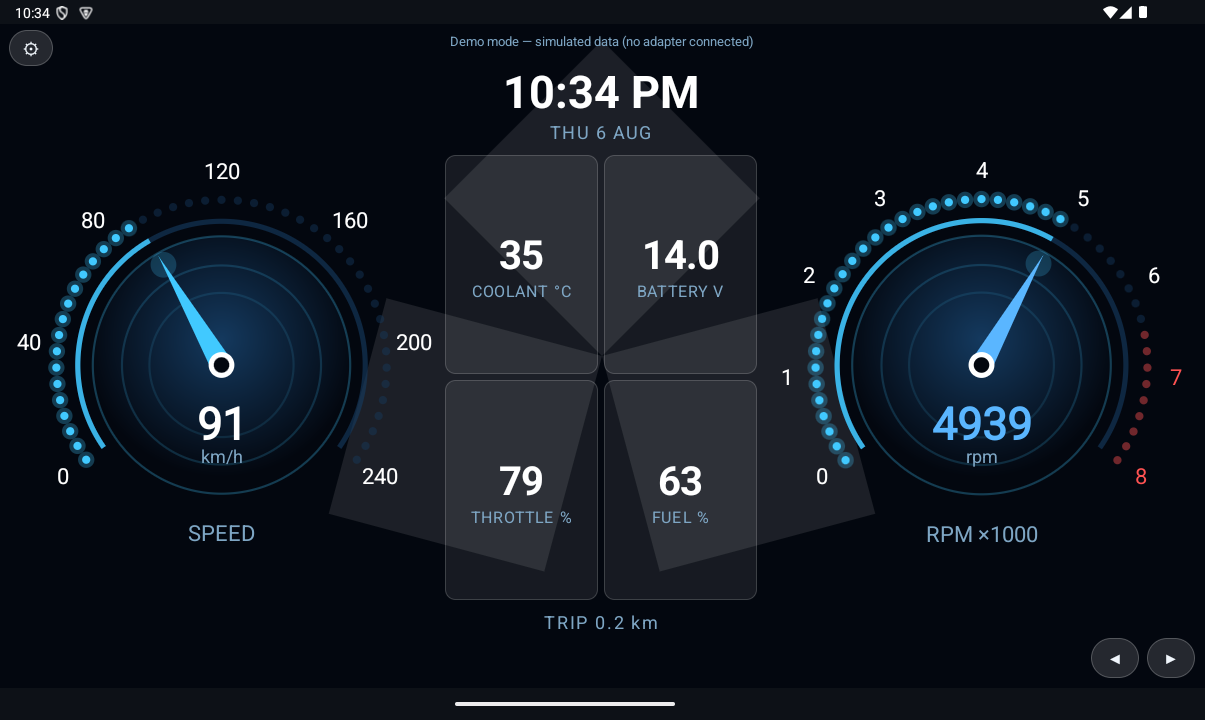
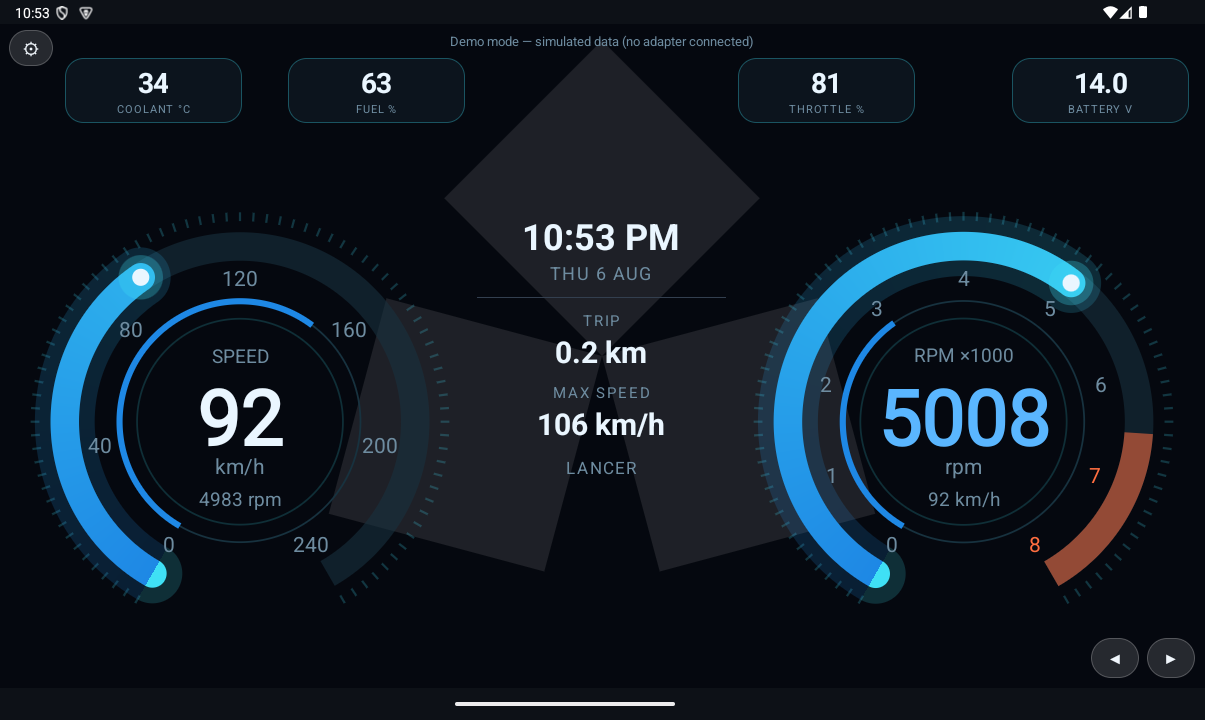
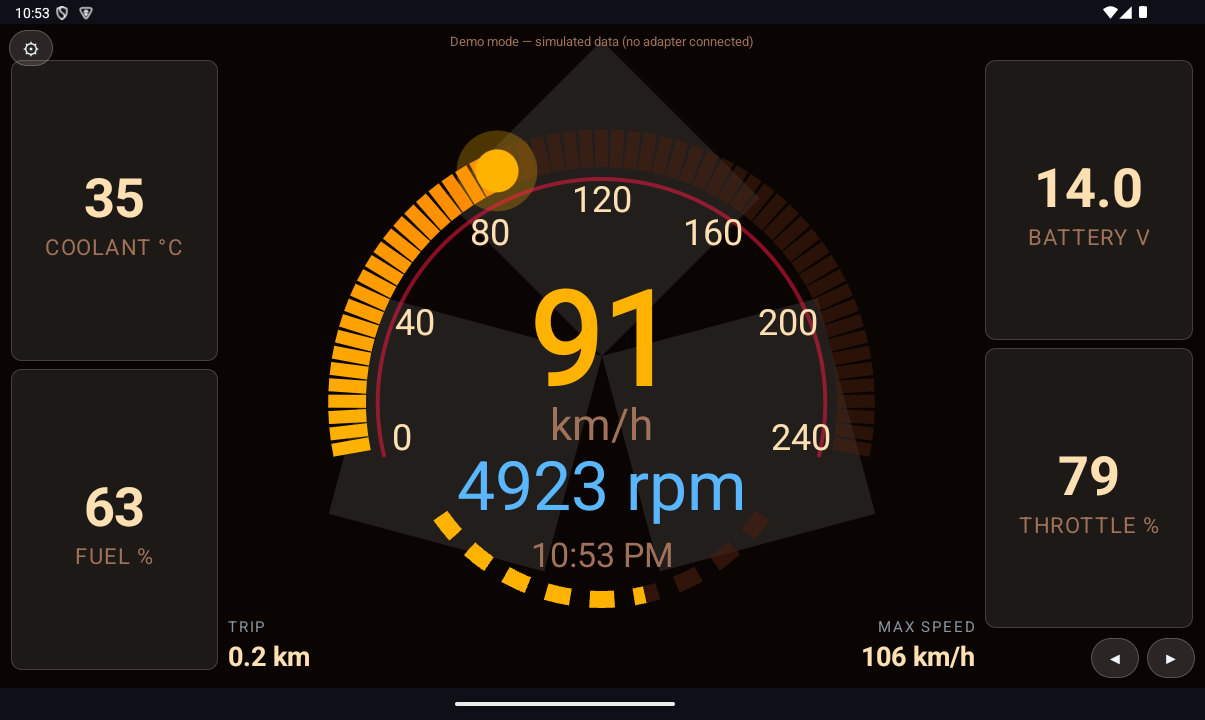
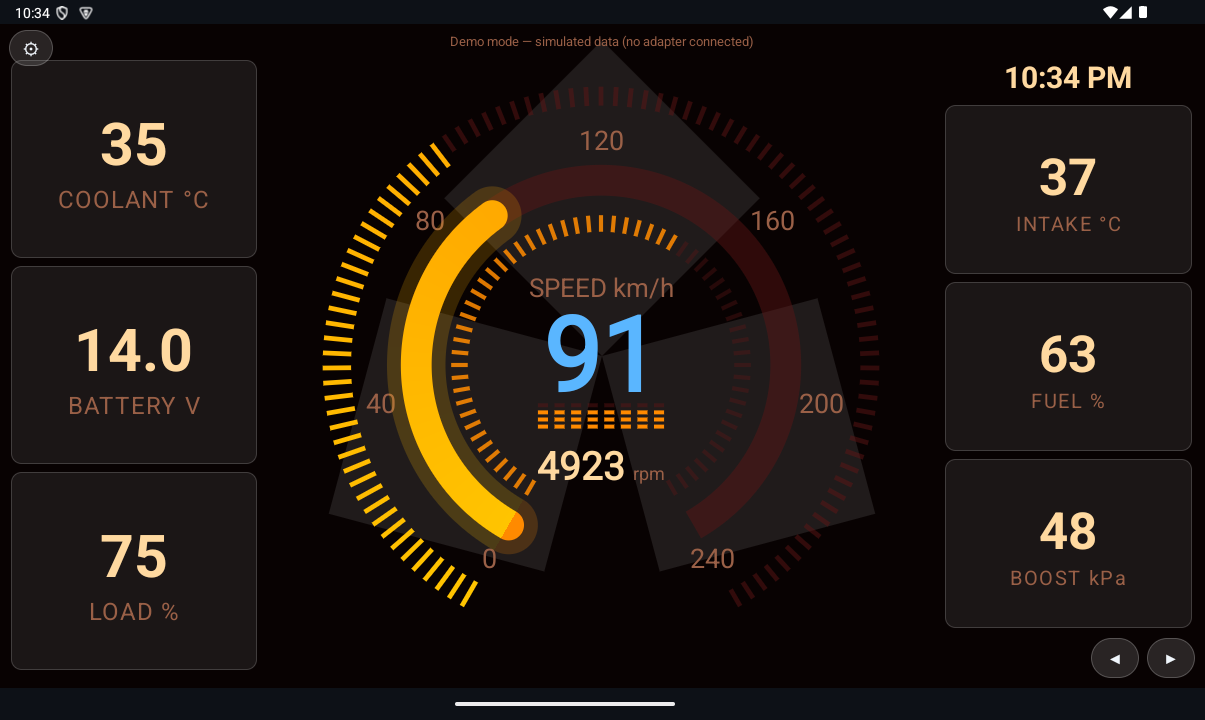
Animated tacho and speedo dials with readouts for coolant temperature, battery voltage, throttle, engine load, intake temperature, fuel level, boost and learned gear. Nine dial designs — plus a full-screen trip computer — switch on the fly with the arrow buttons, and a long-press on most readout cells lets you choose what that cell shows.
A proper drive computer
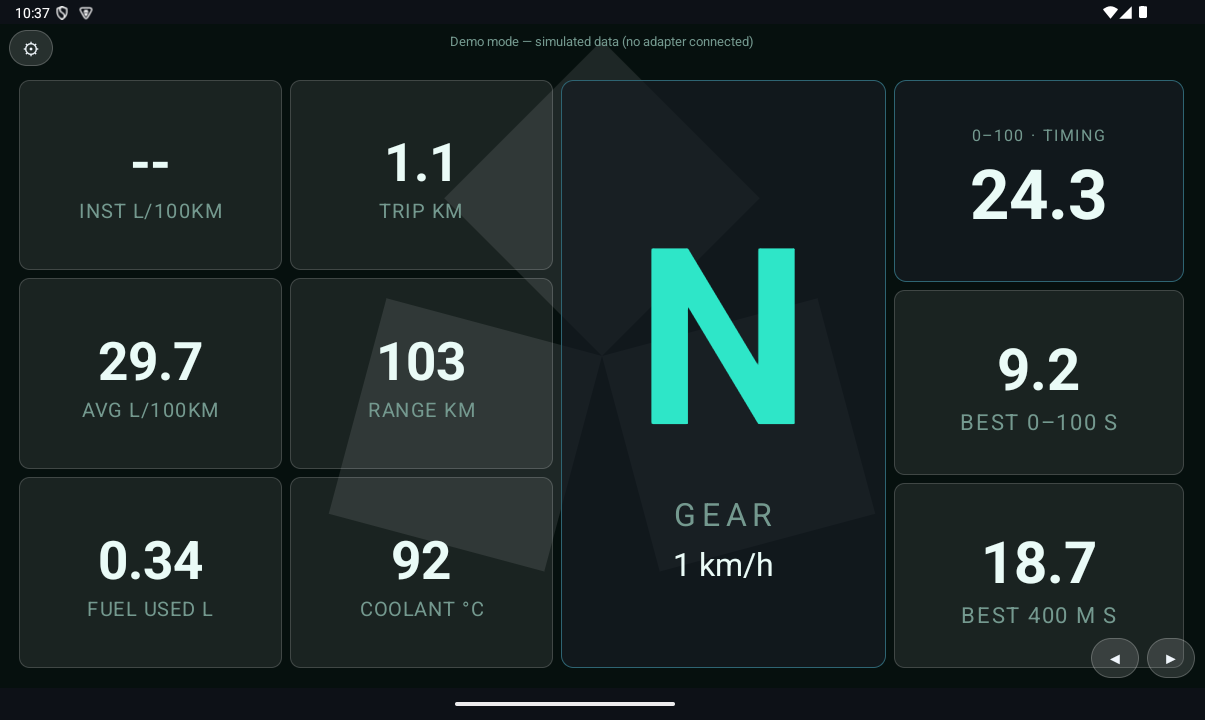
The Trip Comp design tracks instant and average fuel economy (L/100km), fuel used, trip distance and estimated range — using the car's airflow sensor when it has one, or a manifold-pressure estimate when it doesn't. It learns your gear ratios as you drive, and a standing-start timer arms itself whenever you stop: 0–100 km/h and 400 m times, with your best runs kept. Long-press the trip to reset it, or the timer to clear the times.
Scan the vehicle before the workshop does
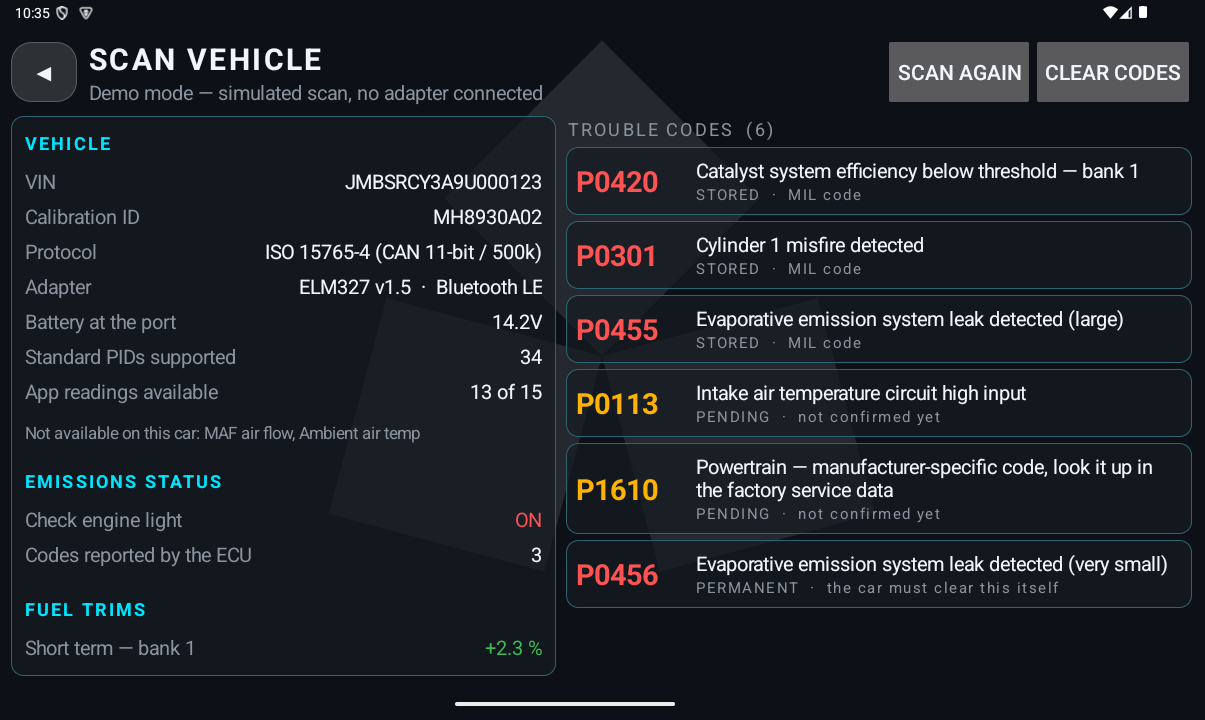
One tap runs the full standard diagnostic sweep: check-engine status, stored, pending and permanent trouble codes with plain-English descriptions from the SAE catalogue, the freeze frame captured when a fault was confirmed, readiness monitors, fuel trims, the VIN and calibration ID, and exactly which readings your car supports. Codes can be cleared from the app — behind a confirmation that spells out what clearing really does.
It reads the standardised emissions and powertrain system that every OBD-II car exposes — the same data a generic workshop scan tool starts with.
It watches the car so you can watch the road
Overheat & low-battery alerts
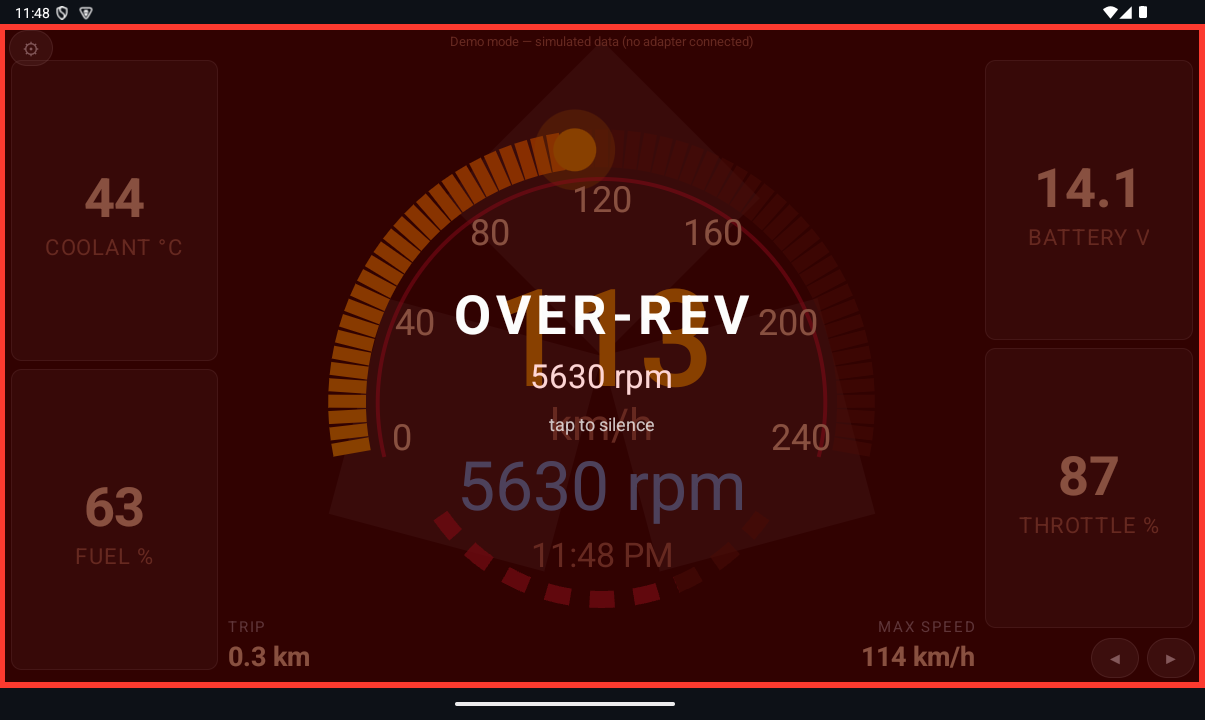
A full-screen flash and beep for hot coolant or a sagging battery, at thresholds you set. Tap the banner to silence that activation.
Over-rev warning
Set your redline and the app flashes when you cross it — or keep just the red zone on the dials and turn the banner off.
Warm-up guard
The rev readout stays tinted blue until the coolant passes 60 °C — a quiet reminder not to lean on a cold engine.
Auto-reconnect & launch on boot
A dropped link retries by itself, and on a head unit the gauges can start the moment the ignition powers the screen.
Set up for your car, not a generic one
Pick your exact car — year, make, model and trim, from a catalogue of 16 makes as they were sold in Australia from 2000 on — and the app names it on screen and draws the make's badge faintly behind every page, as strong or subtle as you like. Gauge ranges, redline, engine size and tank capacity, alert thresholds and display scale are all yours to tune.
Every setting, explained
Car
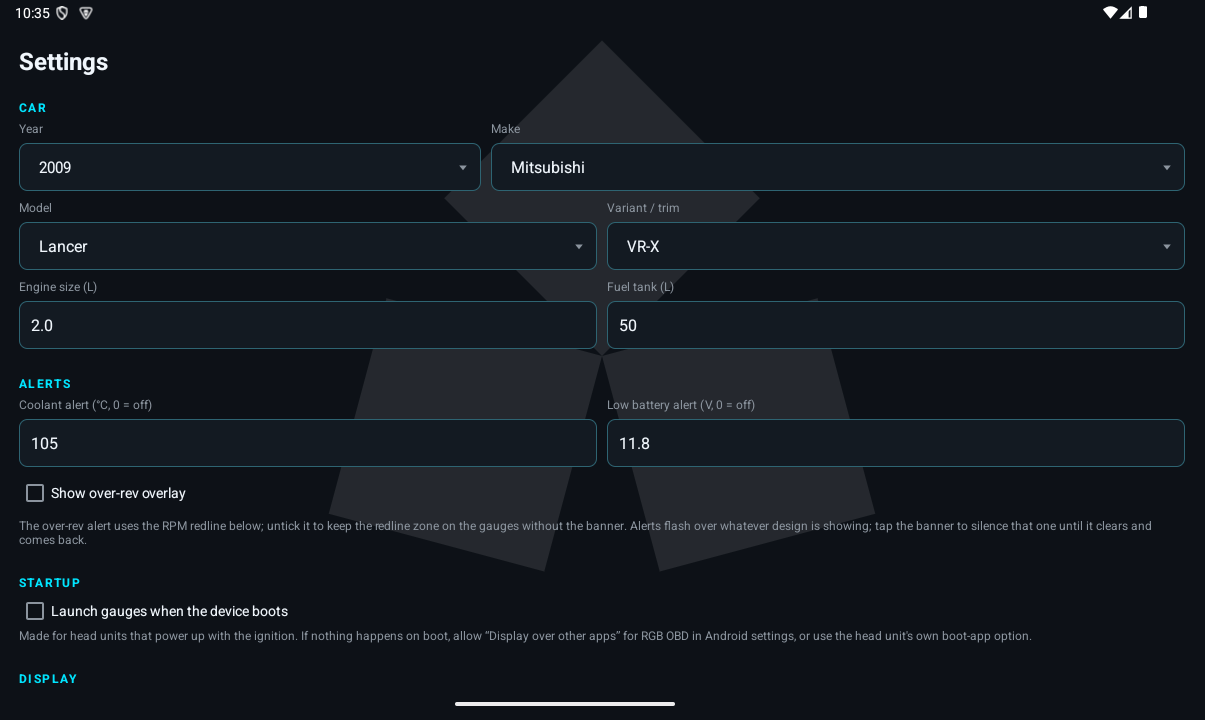
Year, Make, Model, Variant/trim name your exact car on screen and pick its badge. Engine size (L) and Fuel tank (L) feed the drive computer — economy estimation on cars without an airflow sensor, and the remaining-range figure.
Gauges
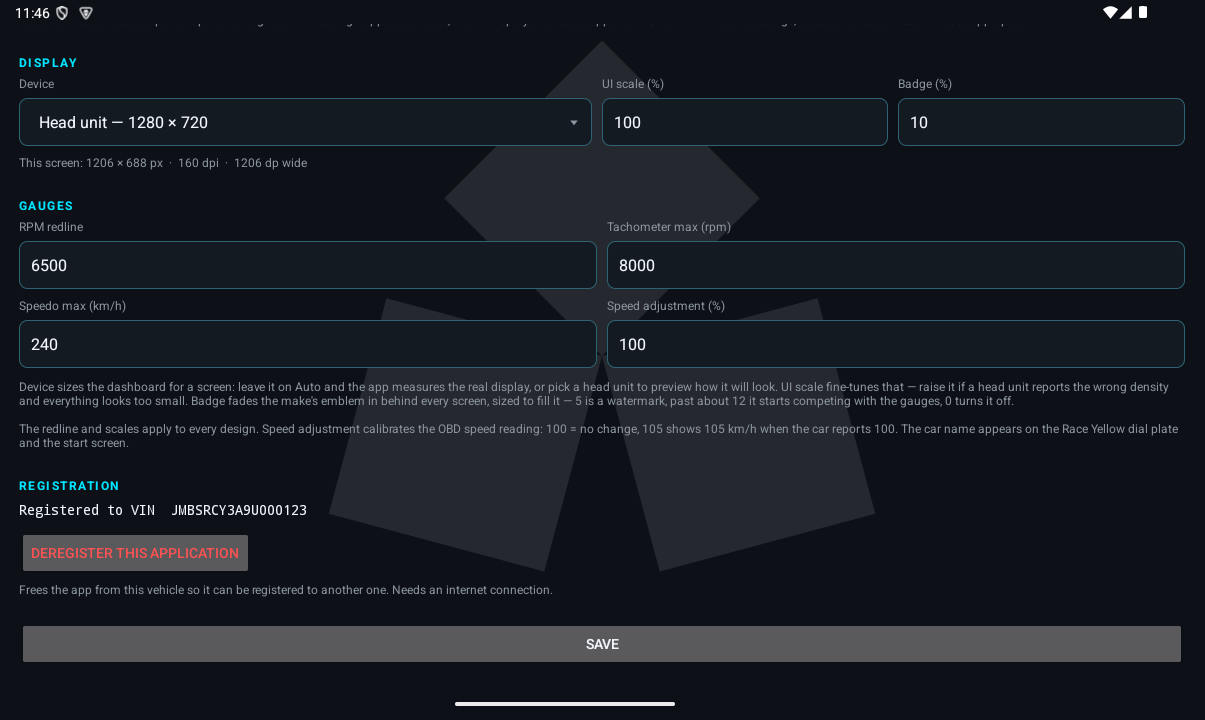
RPM redline draws the red zone and arms the over-rev alert. Tachometer max and Speedo max set the dial ranges. Speed adjustment (%) calibrates the OBD speed reading — 100 is no change; 105 shows 105 km/h when the car reports 100.
Alerts
Coolant alert (°C) and Low battery alert (V) set the flash-and-beep thresholds — 0 turns one off. Show over-rev overlay controls the full-screen redline banner pictured in the Alerts section above; untick it to keep the red zone on the dials without the banner.
Startup
Launch gauges when the device boots — made for head units that power up with the ignition, so the dials are on screen before you're out of the driveway.
Display
Device sizes the dashboard for your screen — leave it on Auto or pick a head-unit profile to preview one. UI scale (%) fine-tunes that. Badge (%) fades your make's emblem in behind every screen — 5 is a watermark, 0 turns it off.
Registration
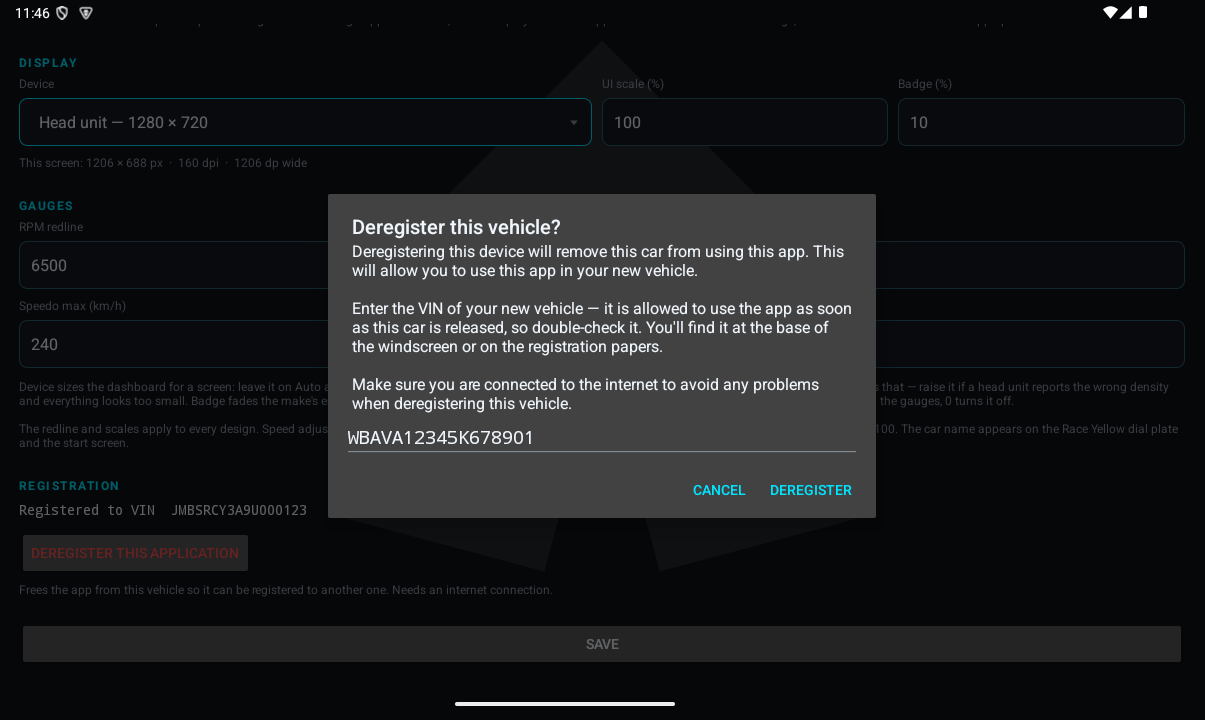
Shown while the app is registered: the licensed VIN, and Deregister this Application for moving the licence to your next car — the workflow pictured in the Licensing section below.
What you need
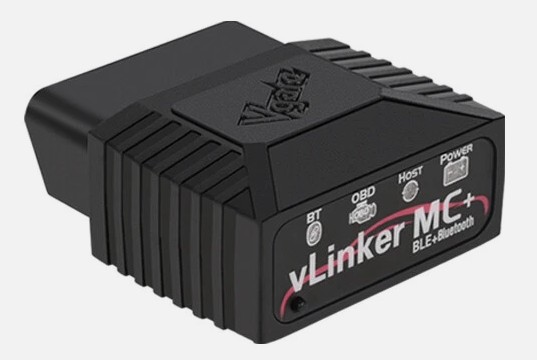
Two things: an Android device (8.0 or newer — a head unit, tablet or phone) and a Bluetooth OBD-II adapter. The app is built and tested with the Vgate vLinker MC+ Bluetooth 4.0 OBD2 scanner — a dual-mode adapter that speaks both Bluetooth Classic and BLE, so it pairs with head units and modern phones alike.
- Plugs into the OBD-II port — under the dash, driver's side, on most cars
- Bluetooth Classic and BLE — the app supports both, no cables
- Protocol is auto-detected, including older ISO 9141-2 cars
- Widely available online for around the price of a tank of fuel
Other ELM327-compatible Bluetooth adapters generally work too, but the vLinker MC+ is the one we test every release with and recommend.
One licence, one car — moved whenever you are
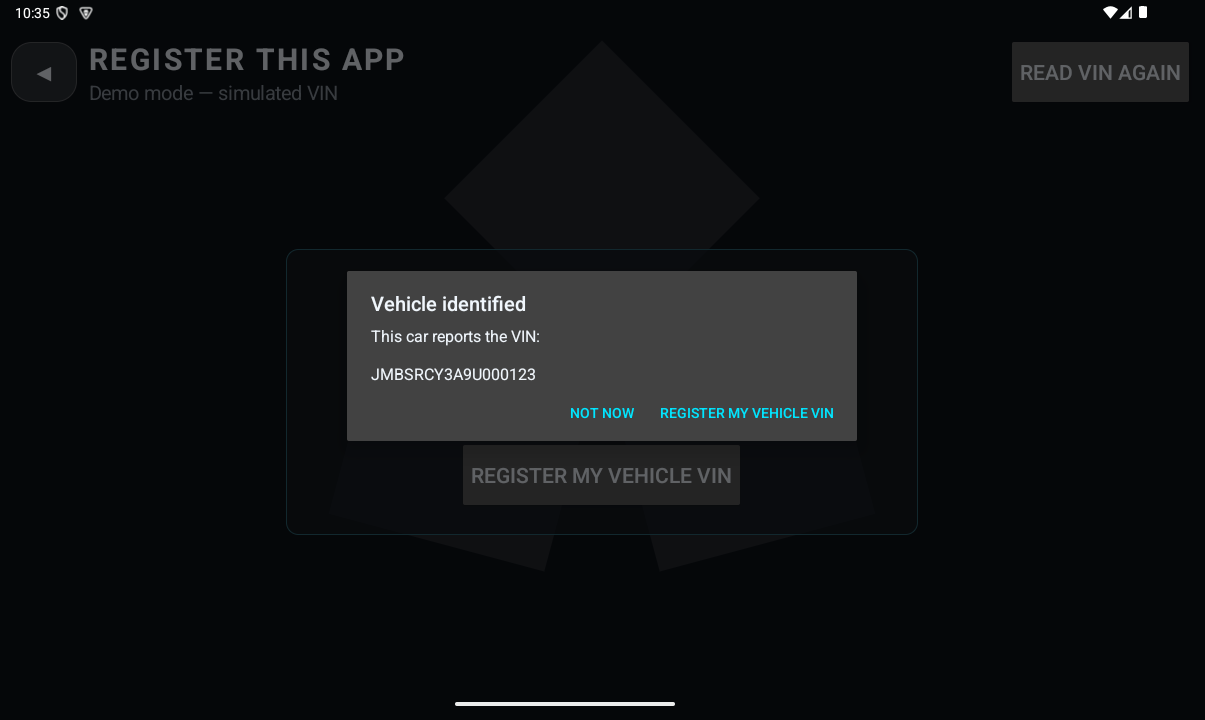
RGB OBD is licensed to your vehicle, not to a device count. Registering takes a minute in the car: the app reads the VIN straight from the engine computer, shows it to you, and activates online. After that no internet is needed while driving — every connection simply confirms, locally and in under a second, that it's still your car on the other end.
Changing cars? Deregister from the settings screen — the app asks for your new car's VIN and moves the licence to it on the spot, ready to register in the new vehicle. The demo mode is always open, so you can explore the whole app before registering.
Buy RGB OBD for your car
$149.00 AUD
One payment, one vehicle licence — no subscription. Enter your car's VIN at checkout, pay securely through Stripe, and download the app straight away.
Buy this appPrefer to talk first? Contact us — we're happy to help with the adapter and setup.